




BUILT FOR THE COURSE, NOT JUST THE LECTURE

Notes that grow with every lecture.

Notit analyzes recurring phrases and vocal cues to identify what your professor emphasized, then builds study notes around the most important ideas from class. As your course progresses, it carries that context from one lecture to the next.

Free to start · No credit card required

What mattered in class, carried through Note, Replay, Quick Review, and Final Note.

CONTEXT THAT BUILDS ACROSS YOUR COURSE

Most courses aren’t taught in a single lecture.

Professors often develop one idea across several lectures and return to the points that matter most. So why should your notes treat every lecture as if it stands alone?

FROM CLASS TO LEARNING

Five steps to make any class truly yours.

  1. 01
    Record or import

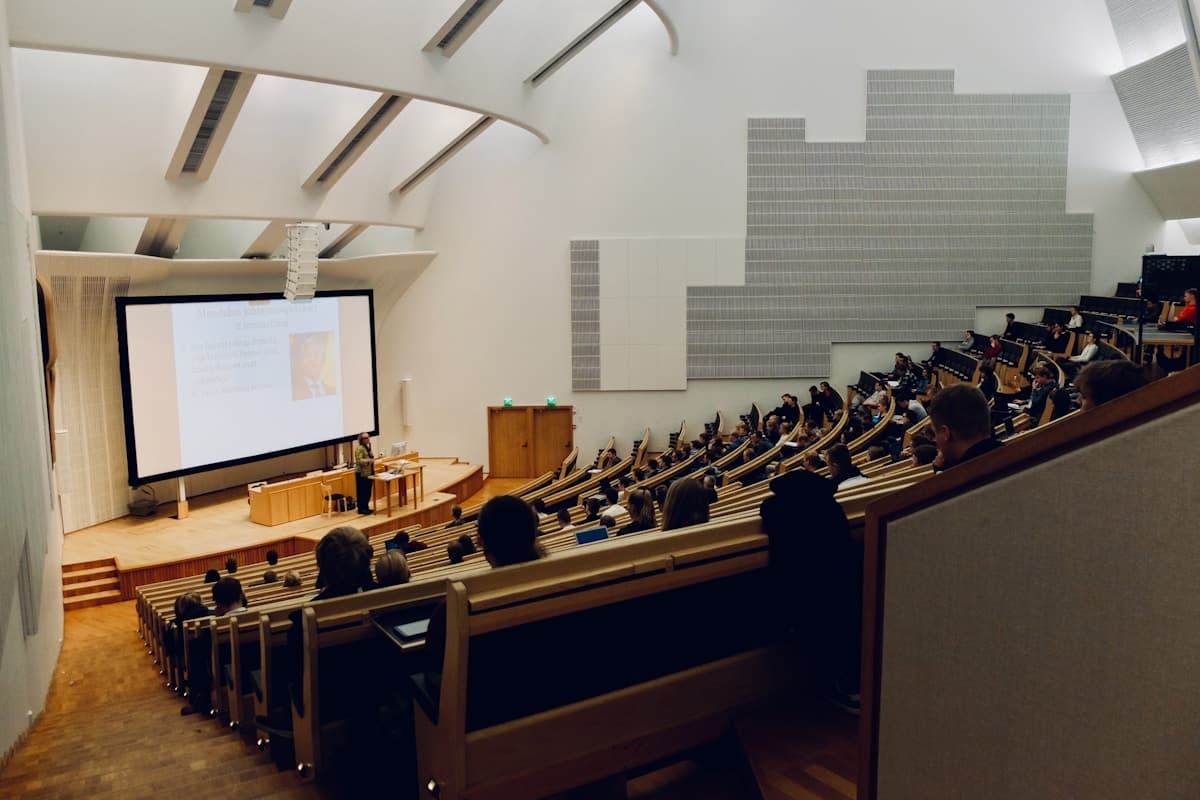
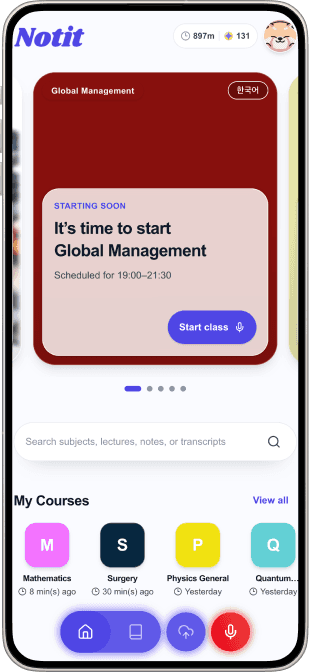
    Let Notit record your class, or upload a lecture video, YouTube link, audio file, or course materials.

  2. 02
    Understand with Note

    Save time by seeing what matters most, then master each concept through structured explanations and illustrations.

  3. 03
    Rewatch with Replay

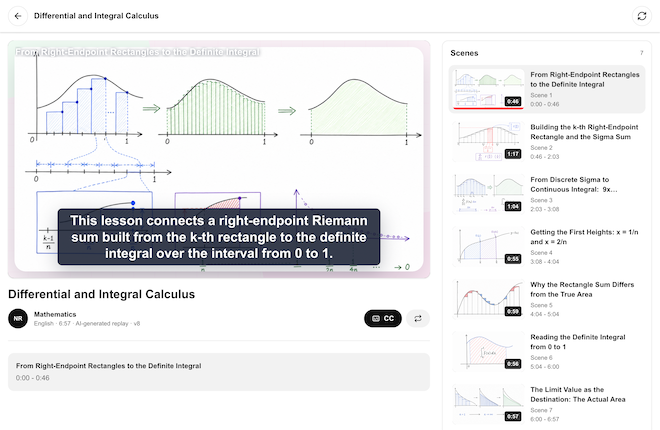
    When text isn’t enough, turn to Replay. Notit reconstructs the class as a video you can revisit anytime.

  4. 04
    Check yourself with Quick Review

    Get self-check questions based on the class, see where you need more work, and ask Notit for an explanation.

  5. 05
    Connect knowledge with Final Note

    Getting ready for an exam? Final Note brings an entire semester of classes into one Note and shows how the concepts connect.

START WITH A NOTE

Start with a Note. Replay the class, check your understanding, and make any subject your own.

Notit starts with a Note that organizes knowledge clearly, then brings the entire learning and review process together in one app.
01

NOTIT NOTE

A Note that knows what matters.

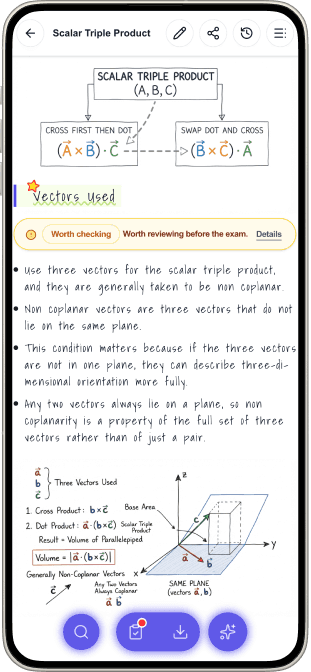
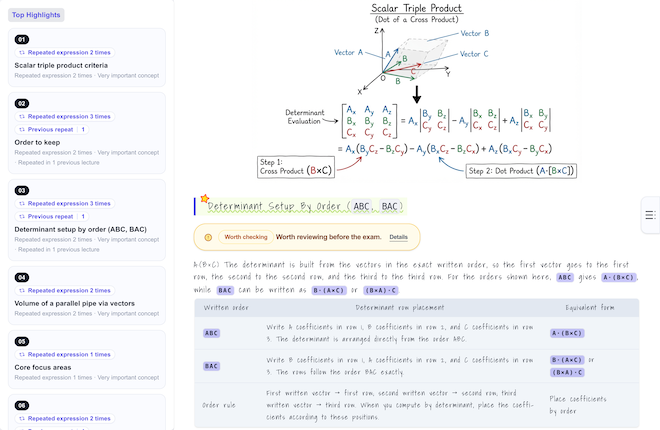
Notit doesn’t just transcribe your class. Summarizing is only the beginning. Notit also analyzes earlier classes to understand the context that carries forward and spot ideas that keep coming up. Its Note Through Tone Analysis engine recognizes emphasis in an instructor’s voice and phrasing, helping you identify the most important parts of the class. Beautiful, hand-drawn-style illustrations appear throughout each Note, making the lesson easy to grasp at a glance and giving you the feeling of having created every page with care yourself.
  • Choose the Note style that works for you, from a quick summary to a deeply organized, in-depth Note.
  • Deepen your understanding with beautiful illustrations that bring the key ideas into focus.
  • Go beyond a single class. Notit analyzes the full sequence so you can see the context connecting each class and recognize recurring concepts.
  • Note Through Tone Analysis recognizes emphasis in an instructor’s voice and phrasing, so you can spend more study time on what matters most.
02

NOTIT REPLAY

When reading isn’t enough, Replay the class.

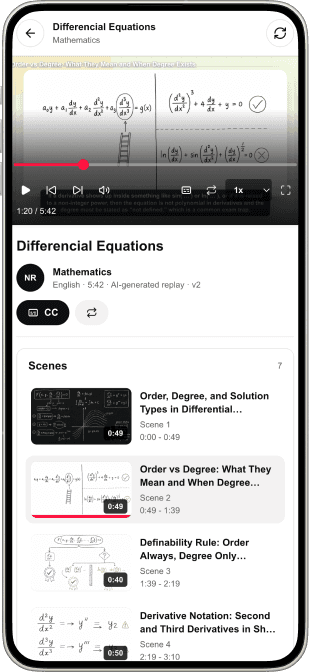
Notit doesn’t stop at creating Notes. It’s an AI that helps you truly make knowledge your own. If you’re tired of text—or reading alone isn’t enough—try video. Using your class recording, Notit reconstructs the lesson around the instructor’s intent and turns it into a video designed for learning. Skip what you don’t need, adjust the speed, and watch as often as you like, wherever you are.
  • Each class is divided into chapters and delivered as a series of videos, so you can jump straight to the part you need.
  • Replay anywhere, anytime, as often as you like—with no ads before the video.
03

NOTIT QUICK REVIEW

See what you actually understand.

Test how well you understood the class with questions created by Notit AI. It’s okay to get one wrong—Notit AI gives you an answer and explanation that get right to the point, so you can review it once more.
04

FINAL NOTE

See every class in a course connected.

Notit isn’t a basic app that creates a summary for one class at a time. It analyzes and connects every class from the semester, then turns them into one beautifully organized course Note. Use diagrams to see how concepts from across the course relate to one another. It’s the perfect Final Note for midterms and finals.

NOTIT AT A GLANCE

See what Notit can do at a glance.

Take a closer look at what Notit brings to every class.
SUPPORTED SUBJECTS
Every kind of class

From college lectures to cooking classes, Notit fits right in.

Notit began with a challenge: analyzing MBA classes from every angle. Today, it works just as well for in-depth college courses in engineering, algebra, medicine, and economics as it does for a casual cooking class.

SUPPORTED CLASS LANGUAGES
12 languages

Support for the languages used in classrooms around the world.

Notit recognizes and analyzes classes in 12 languages, then turns each one into a Note.

  • English (US)
  • English (UK)
  • 简体中文
  • 繁體中文
  • 한국어
  • हिन्दी
  • Français
  • Deutsch
  • 日本語
  • العربية
  • Italiano
  • Español
FAST NOTE GENERATION
About 11 min

A study-ready Note, while the class is still fresh.

Even with the longest Note option selected, Notit creates your Note in 11 minutes or less. Explore the questions that came up while the class is still fresh in your mind.

Timing is based on paid plans. Free accounts use a separate generation queue.
WAYS TO START
4 inputs

From live recording to upload.

Record a class live, upload a lecture video or audio file, or paste in a YouTube link. Add course materials too for an even richer Note.

  • Live class recording
  • Lecture video
  • YouTube link
  • Audio file
CUSTOM NOTES
Your Note, your way

Keep it concise or make it rich and detailed. It’s up to you.

Notit gives you flexible Note options, from a concise summary to a detailed, in-depth Note with illustrations throughout. Create multiple versions, edit them yourself, share them with friends, or download them as PDFs.

BUILT FOR REAL CLASSES

For the classes that are hardest to keep up with.

Use Notit when the pace, subject, language, or format makes a class difficult to turn into useful notes.

When the lecture moves fast

Stay focused on listening instead of trying to write down every sentence.

When the subject is difficult

Review concepts, explanations, and examples in a structure you can follow.

When you are learning in another language

Use translation support for unfamiliar language and terminology without losing the surrounding context.

When the lecture is online

Import a lecture video, YouTube link, or audio file and turn it into study-ready notes.

BUILT FROM YOUR CLASS

Study from what was taught—not a generic answer.

Your Notes, Replays, and review activities are created from the class content you provide, so every step stays relevant to your course.

Recognizes what your professor emphasizes

Analyzes speech patterns to identify the ideas given extra emphasis in class.

Follows the flow of each lecture

Goes beyond a simple summary by connecting each idea with what came before and after it in the lecture.

Connects context across your entire course

Analyzes recurring concepts and context across lectures, so you can see the course as a whole—not just one class at a time.

IMAGINE YOUR NEXT CLASS

Different classes. A sharper way through each one.

Three demanding ways to learn. One connected path from lecture to real understanding.

International student

More than a translation. The thread of the seminar, intact.

In a fast English seminar, the student records the class. Note keeps unfamiliar terms inside the professor’s explanation, while Replay brings back the moments that moved too quickly.

THE SHIFTMore than translating words—the professor’s explanatory thread stays clear from premise to conclusion.

Engineering/STEM student

The equation leaves the board. The reasoning stays.

As equations and diagrams disappear from the board, Note rebuilds the concept-to-example logic. When one step blocks the rest, Replay returns to the explanation around it.

THE SHIFTUnderstand—and review—why the equation works, not only what to memorize.

Online learner

A saved lecture becomes a study path.

Turn a saved YouTube lecture into a Note first, check understanding with Quick Review, and later connect the learning in Final Note.

THE SHIFTA video saved for later becomes the start of a connected study path.

MAKE ANY CLASS YOURS

Bring in one lecture. Leave with a study path.

Create the Note first. Revisit difficult ideas with Replay. Check yourself with Quick Review. Connect the course over time with Final Note.

Free to start · No credit card required